Create a project from templates
The Create New Project browser creates ordinary Typst workspaces from a blank starter, a Typst Universe template, a downloaded template, or a managed user template.
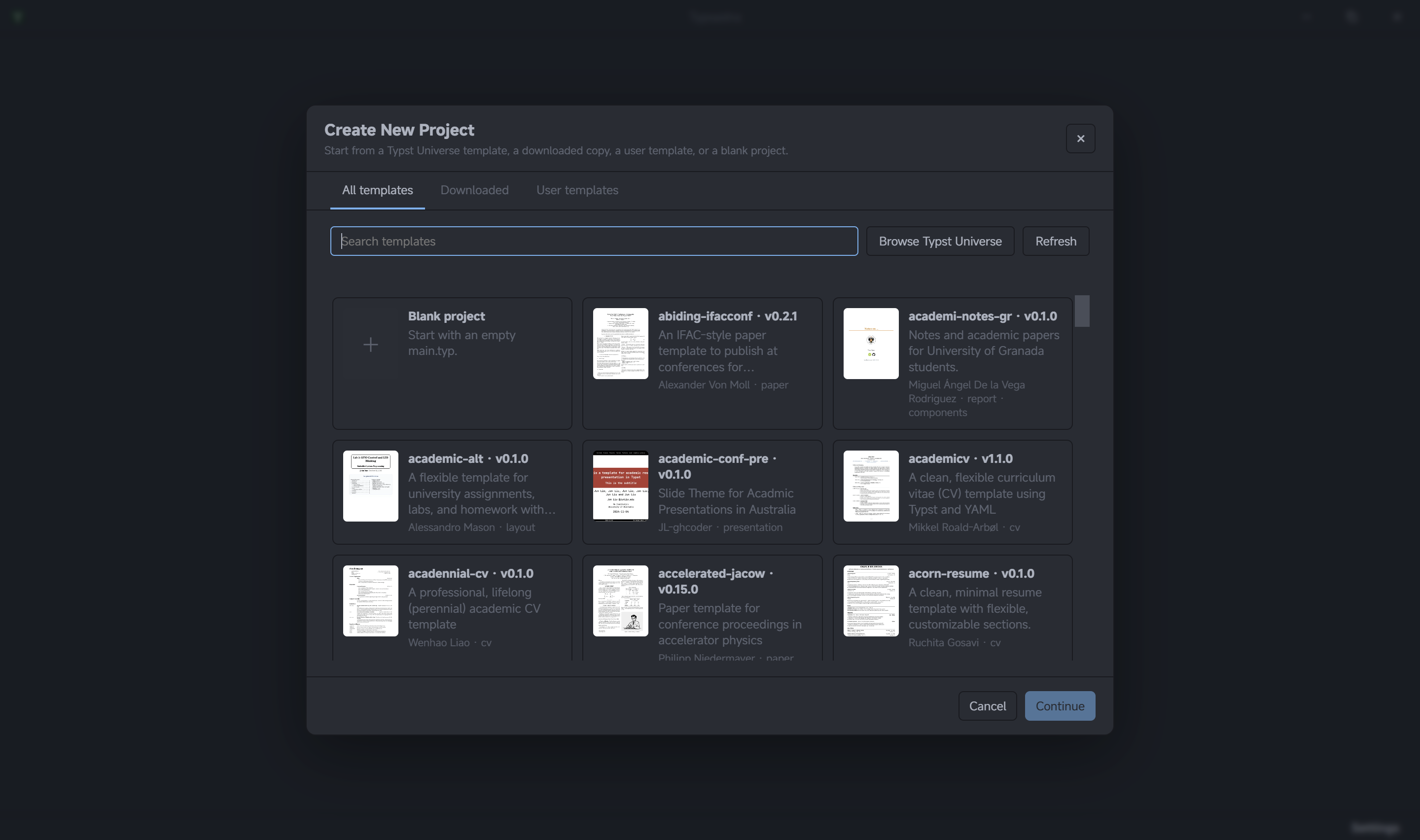
Browse and search
Open File → New Project. The browser has three catalogs:
- All templates searches the Typst Universe template catalog.
- Downloaded reuses Universe templates already cached on this machine.
- User templates lists
.typsastraarchives you have added for reuse.
Search terms match template names, descriptions, authors, categories, and keywords; name matches rank first. The blank-project card is always available. The Universe catalog refreshes online and keeps its last successful response for offline browsing. Downloaded and user templates remain usable offline.
Create the project
- Select a template card to inspect its description and metadata.
- Choose the destination parent folder.
- Edit the proposed project name. Typsastra validates portable names and checks for an existing destination before creation.
- Select Create Project. Universe templates are downloaded and cached when needed, then Typsastra creates and opens the workspace.
Creation uses a staging directory and promotes the finished project only after
its files and metadata are ready. An existing destination is never overwritten.
The resulting project contains normal Typst files plus .typsastra project
metadata; generated previews and caches remain machine-local.
Reuse a user template
In User templates, choose Add and select a .typsastra project archive
to add it to the local template library. User templates are not silently
published to Typst Universe or copied to another machine.