PDF preview and source synchronization
Typsastra uses the same virtualized viewer for compiled Typst output and direct PDF files. Only a bounded set of visible and nearby pages receives rendered canvases, keeping long-document memory independent of total page count as far as practical.
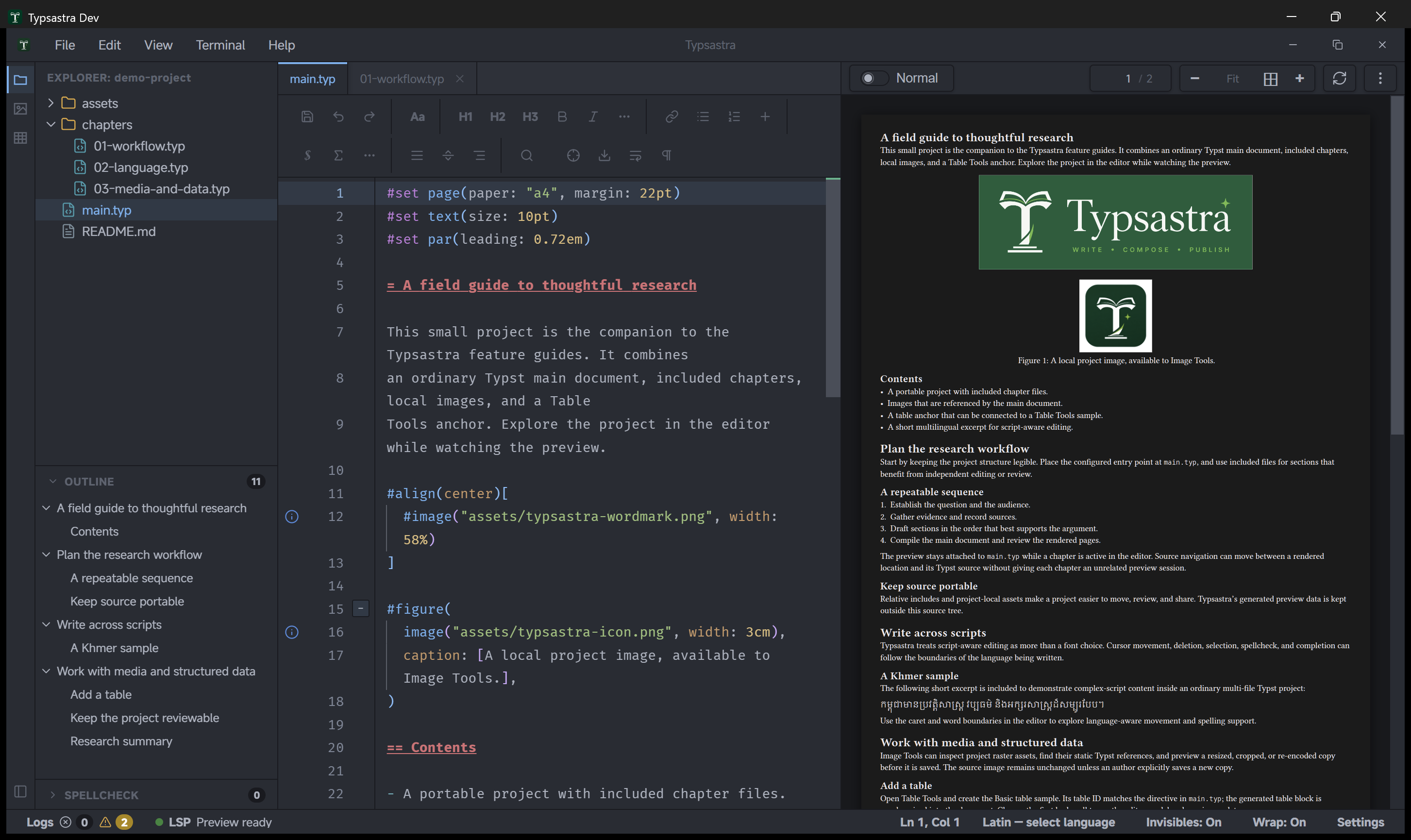
Preview color modes
Open the preview overflow menu or Settings → Preview to choose:
- Document colors renders the PDF exactly as authored.
- Dark preview applies a hue-preserving dark transform while restoring PDF.js-reported embedded-image regions in their original colors.
- Inverted preview (experimental) applies a full-page inversion as a compatibility fallback.
The selection applies to compiled and standalone PDF previews and is remembered across sessions. It changes only the viewer; exported PDFs keep their authored colors.
Scanner-generated PDFs
Some scanners produce mixed-raster-content (MRC) PDFs. A page may use a low-resolution color or grayscale background plus a separate one-bit CCITT or JBIG2 foreground mask for text and line art. If a viewer decodes only the background, the page can look washed out or appear to be missing most of its text.
Typsastra packages the PDF.js decoder resources required to render these layers together in direct PDF view. This is a display compatibility feature: it does not perform OCR, recompress the document, or change the source PDF.
Page navigation
The toolbar shows current page and total page count. Enter a valid page number to jump immediately. Forward sync also uses an immediate jump; it does not run a long scroll animation through intermediate pages.
Zooming retains the current document viewport anchor where practical instead of resetting to the top of the page. The configured main document and every source file included by it also share one PDF page position, so switching between chapters does not restore competing per-tab preview positions.
Forward and inverse sync
Use Reveal Cursor in Preview or Alt+Enter (Option+Enter on macOS) for
forward sync. Tinymist currently supplies page and source-line positioning, not
a reliable exact horizontal word coordinate. Typsastra therefore lands at the
line position instead of guessing by PDF text matching.
Inverse sync depends on the source-map data-plane connection. Preview loading warms the hidden source-map session without requesting a memory-heavy vector snapshot. If synchronization fails, inspect the Typst synchronization log for session readiness, WebSocket connection, request, and timeout events.
Compilation failures
The last successful preview remains visible when a later compilation fails. Fix the reported Typst diagnostic and save or edit according to the selected render mode.
Linux white preview
On affected Wayland/WebKitGTK systems, enable Disable WebKitGTK DMA-BUF renderer under Settings → Preview → Linux preview compatibility and restart. The option is Linux-only and may reduce rendering performance.
See Preview implementation notes for internals.