Explorer and projects
Typsastra treats a project folder as the workspace. Source files stay ordinary
files on disk; project-specific settings live in .typsastra/config.json, and
the editing session is stored separately from source content.
Open a project
Choose Open Project and select the folder containing the Typst sources.
Recent Projects provides quick access to recently opened workspaces. The
Examples action opens a writable example project that can be explored safely.
Use Show All Recent Projects to search the project history; the five most
recent projects also have direct Ctrl+1…Ctrl+5 / Cmd+1…Cmd+5 shortcuts.
The Explorer lists project files and folders. Open a file to create or activate
an editor tab. Context actions include creating and renaming files, revealing a
file in the system explorer, copying paths, and setting a .typ file as the
project's main document.
Drag files into an Explorer folder to copy them into the project. Drag image files into a Typst editor or paste an image from the clipboard to save a collision-safe project asset and insert a source reference. Renaming an indexed image updates its exact static references in Typst sources.
Main files and included chapters
The configured main .typ file owns the project preview. Use Set as Main
File from a Typst file's context menu. Files included from the main document
share its compiler and preview; opening a chapter changes the editor tab without
switching the PDF to a separate chapter preview.
Other project files
Images, data files, bibliographies, and other assets remain in their project locations and can be referenced with relative Typst paths. The Image Tools and Table Tools sidebars inventory project content without creating shadow source files for internal UI state.
Portable and machine-local data
The project config.json stores portable project choices such as the main file
and tables. workspace.json stores session state such as open tabs, layout, and
scroll positions. Render caches, generated PDFs, and source maps are kept in
machine-local application data. See Project import and export
for sharing a project archive.
Demonstration
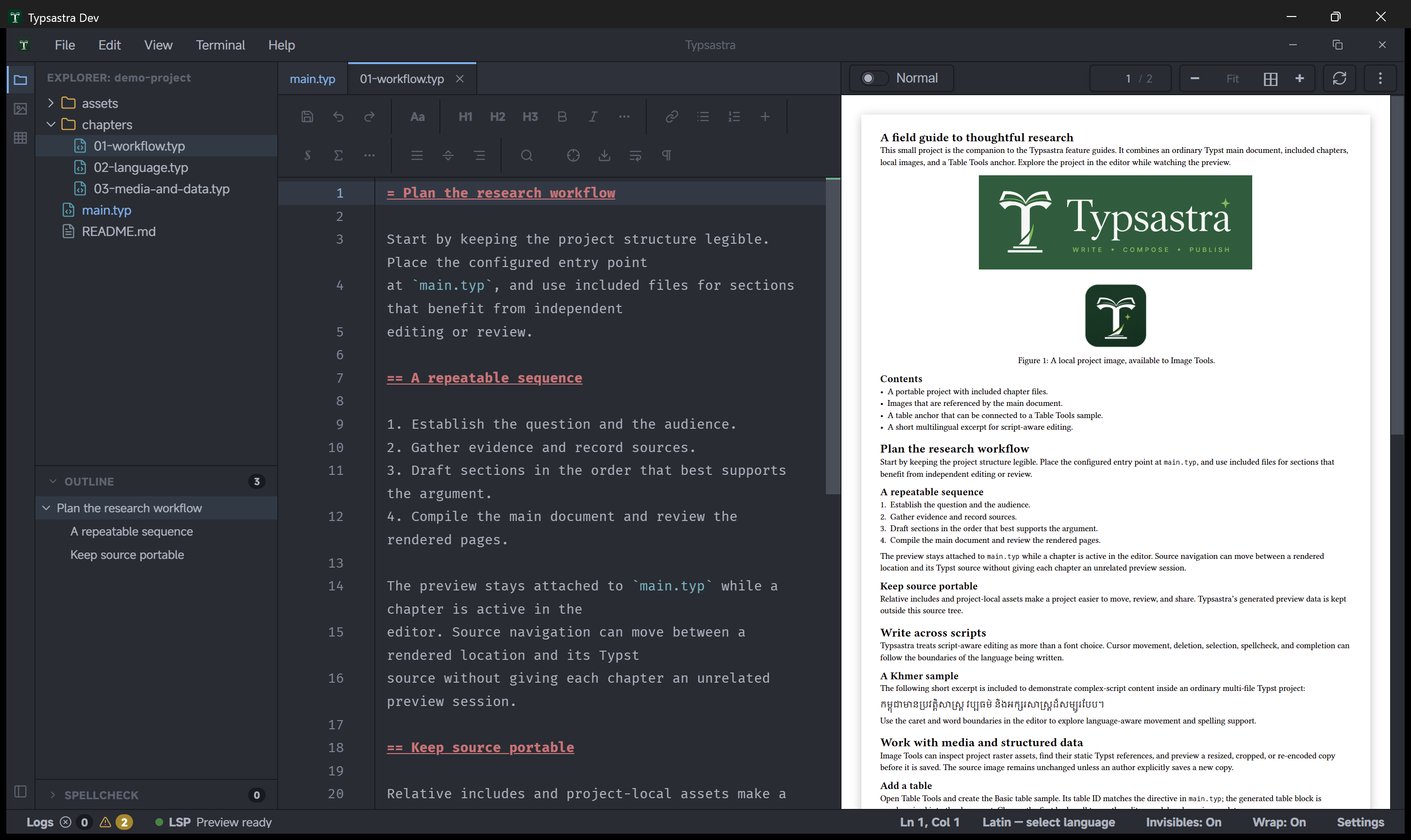
The demo-project includes main.typ, three
chapter files, and local image assets. Use it to explore file navigation and
main-document ownership.